










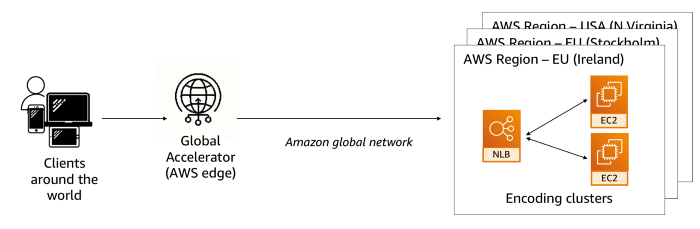
AWS Global Accelerator uses the AWS global network to optimize the path from your users to your applications, improving the performance of your traffic by as much as 60%. You can test the performance benefits from your location with a speed Comparision tool. AWS Global Accelerator continually monitors the health of your application endpoints and redirects traffic to healthy endpoints in less than 30 seconds.
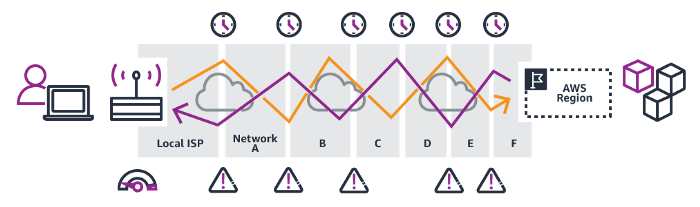
Without AWS Global Accelerator
With AWS Global Accelerator
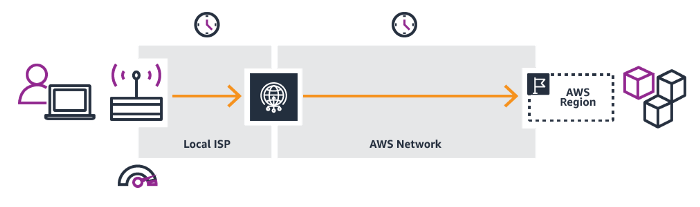
What is the Process to make the AWS Accelerator?
First You have to know about the EC2 Instance in this you have to launch OS. I take an example to show the whole process. I launch the OS in Mumbai and California in both regions. If you want to make a Copy AMI it means in one OS you make a webserver or what you want and after the create snapshot to that image then you create your own image after configuring you have your OS as per requirement. In this Whole process, I use my own image.
Step 1. Take an Image in this configure the apache web server after that creates a snapshot of that image.
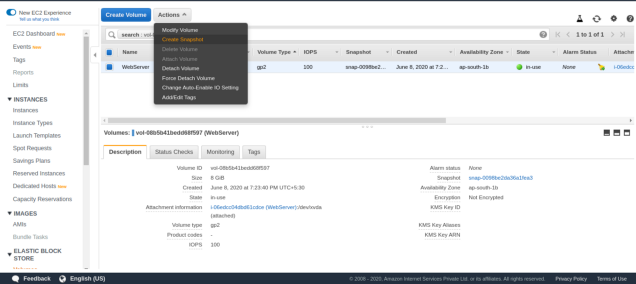
Step 2. After you do the Several Step.
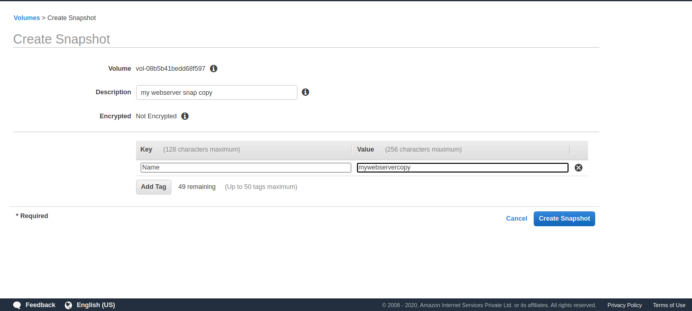
Step -3 Name the Snapshot
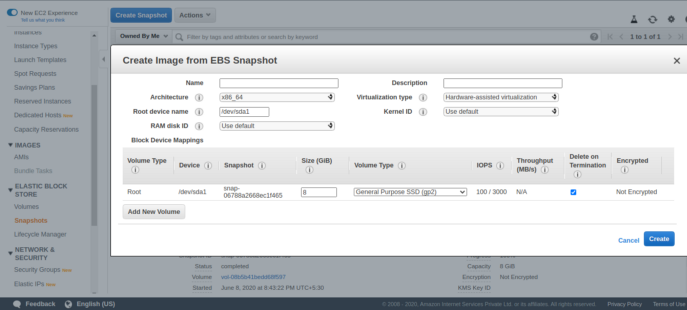
Step -4 After that Copy the AMI
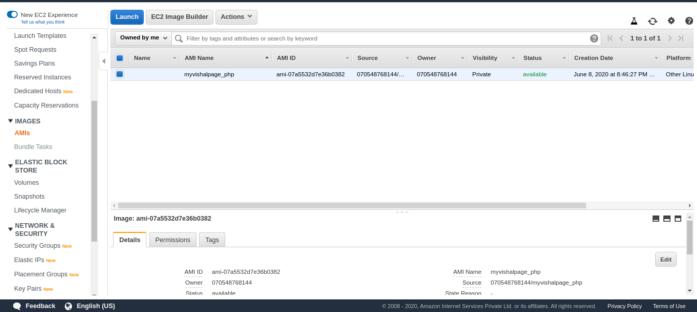
Step -5 hen you launch the Mumbai Region and California Region Both
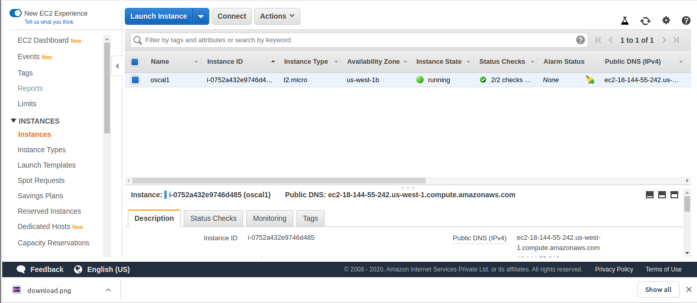
Step -6 Check the Global Accelerator
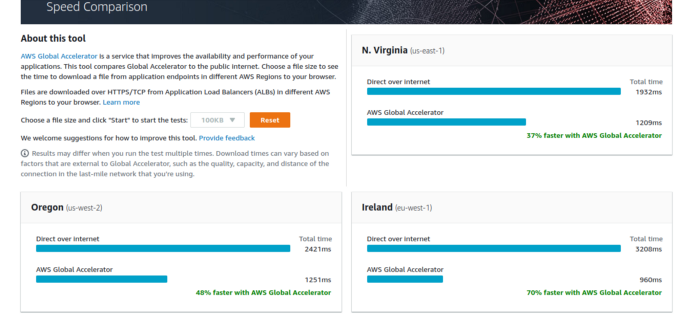
How to create the Global Accelerator?
Step 1 Enter the Basic Configuration Details
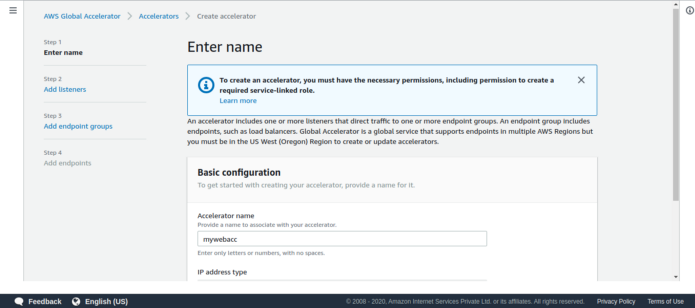
Step -2 Add Listeners with a specific port number with proper protocols
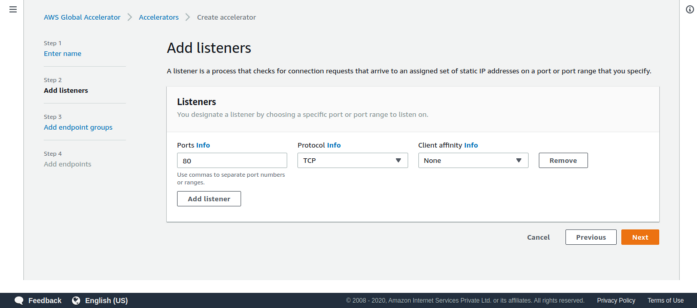
Step-3 Enter the details of each Endpoints Groups
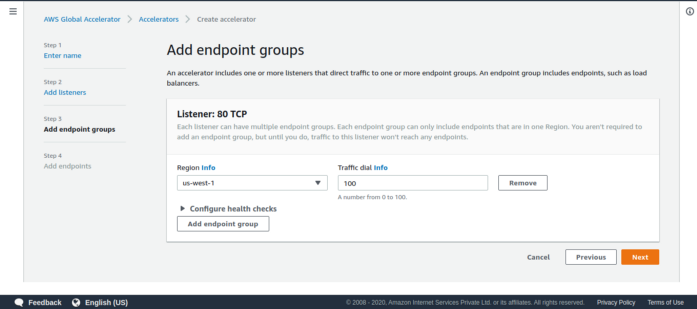
Step -4 Add both the endpoints
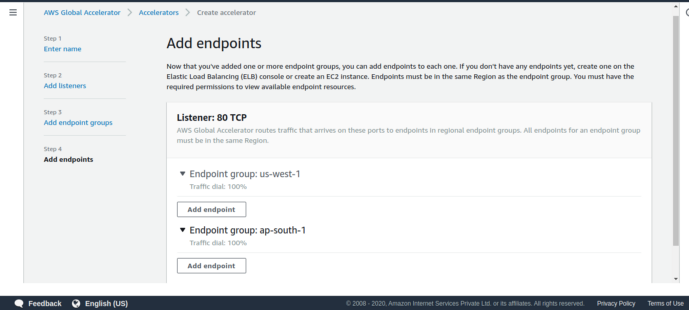
Step -5 The accelerators are working mode and it has been displayed on the dashboard.
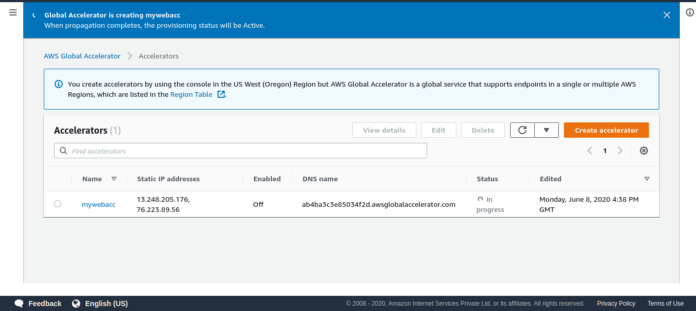
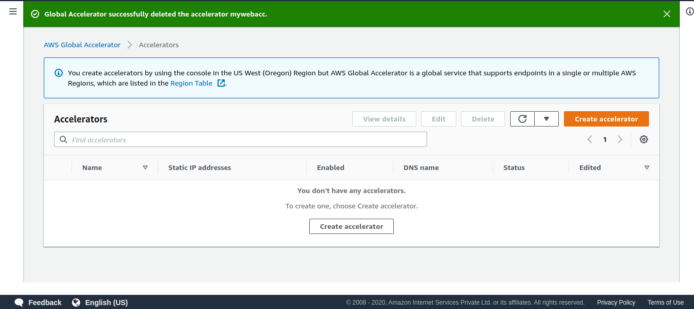
Step -6 Deleted the accelerator
Note:- If you use Global Accelerator Service you have to pay for this service on an Hour basis.
If you use this service as a practice then after using this service you delete this.







VMware Insight



